Designed a sidebar UI to connect clients & consultant contextually over chat instead of email
Role
Product Designer
Team
CTO, CEO, Lead Consultant, +Me
Shipped
2023
Overview
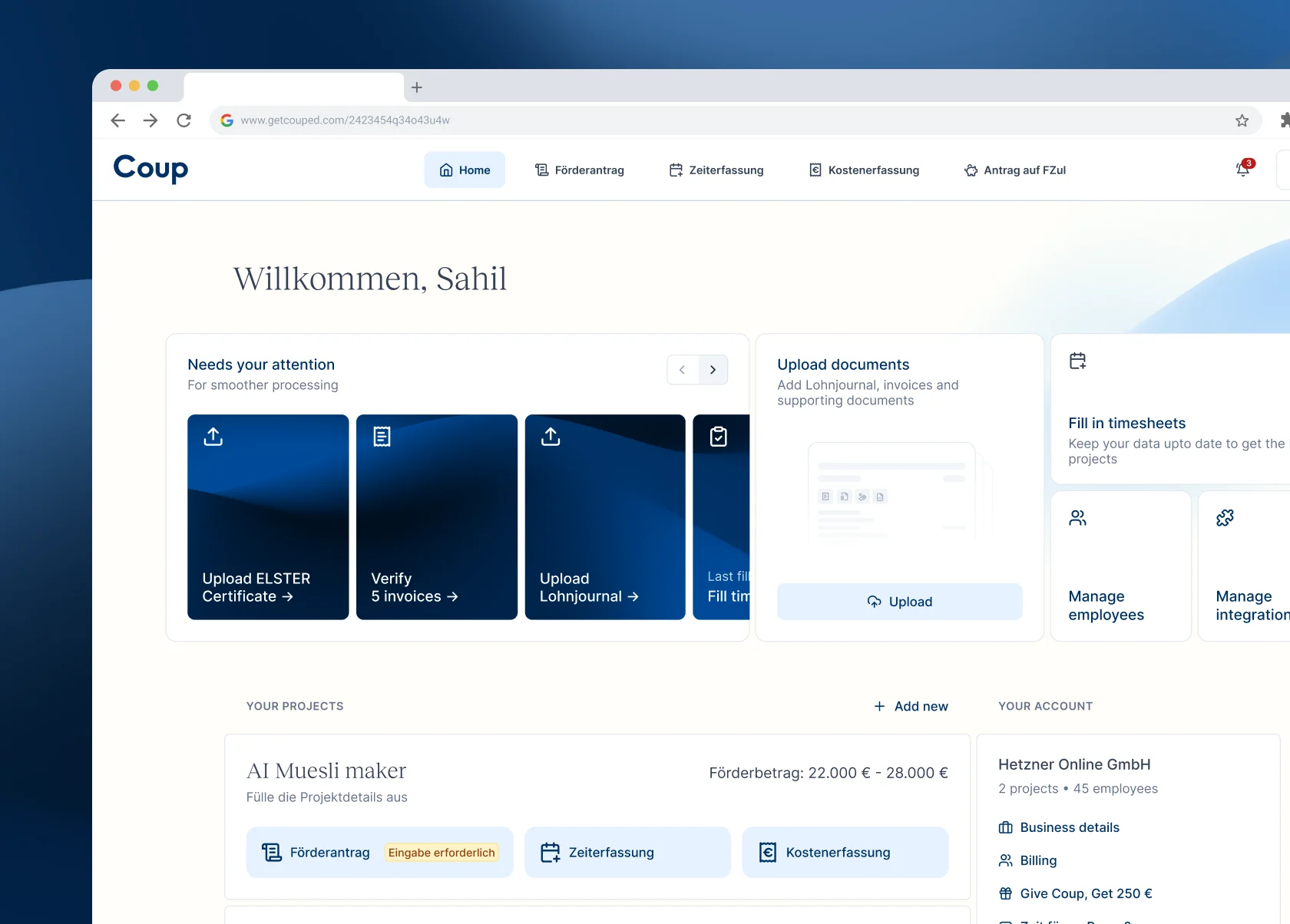
German companies can claim refunds for their R&D expenses from the govt. To apply for these refunds, the company has to prove that their R&D project is based on a novel idea, a risk that this idea might fail, and has comprehensive answers to bureaucratic questions.
Coup provides all that with their in-house Consultants who have developed a deep expertise of how to precisely identify and leverage funding potential. The Client rely heavily on the Consultants to understand a bureaucratic question, where to get the correct data, and answer them to assure funding approval.
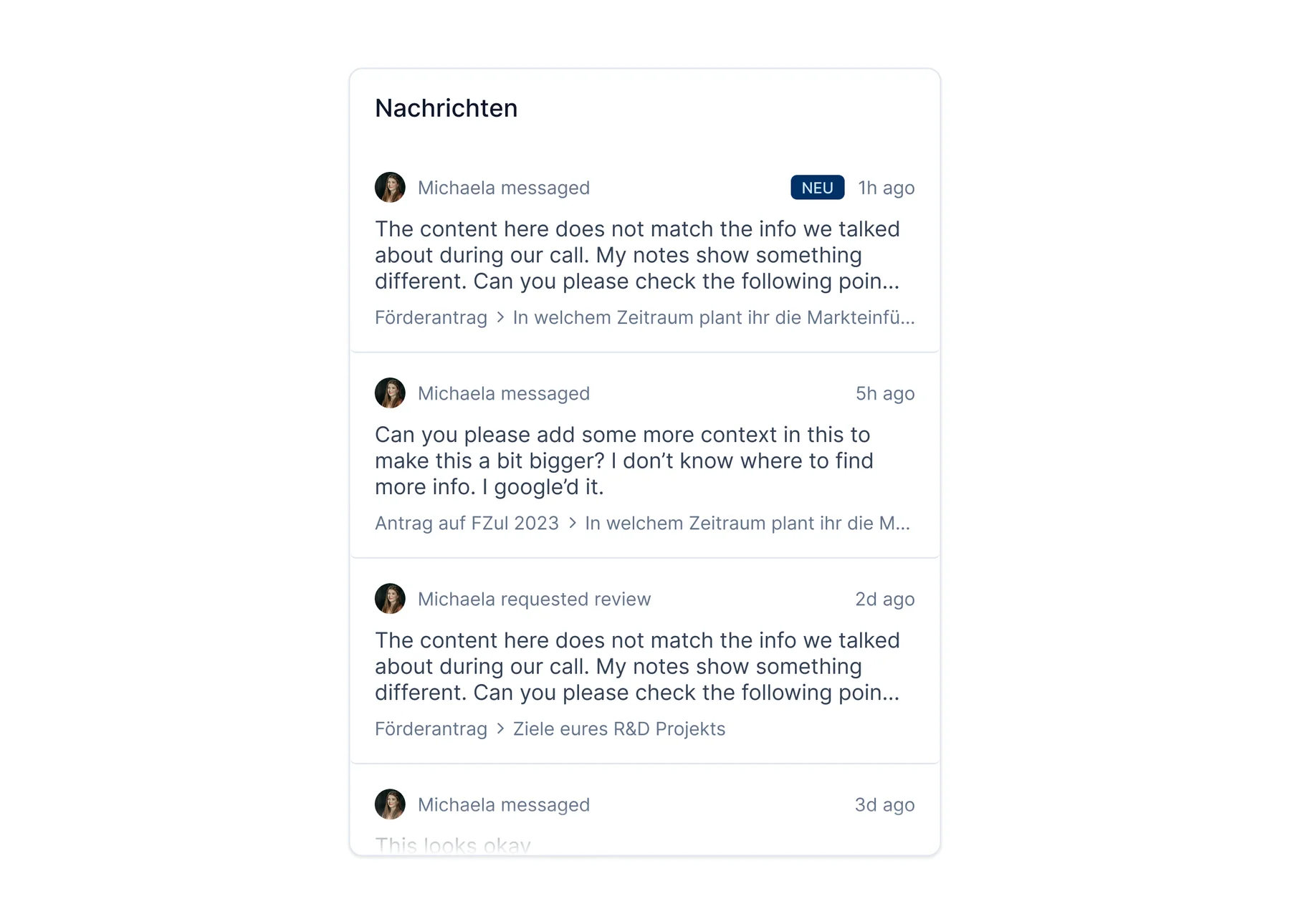
Coup's client-consultant chat system
Situation
When facing a bureaucratic question, the clients are generally confused on how to answer it formally, and how to transform their company data to fit the requirements. On the other hand, the Consultants, skilled in navigating tax authorities and bureaucratic processes, want to communicate the tips and how-tos to the client.
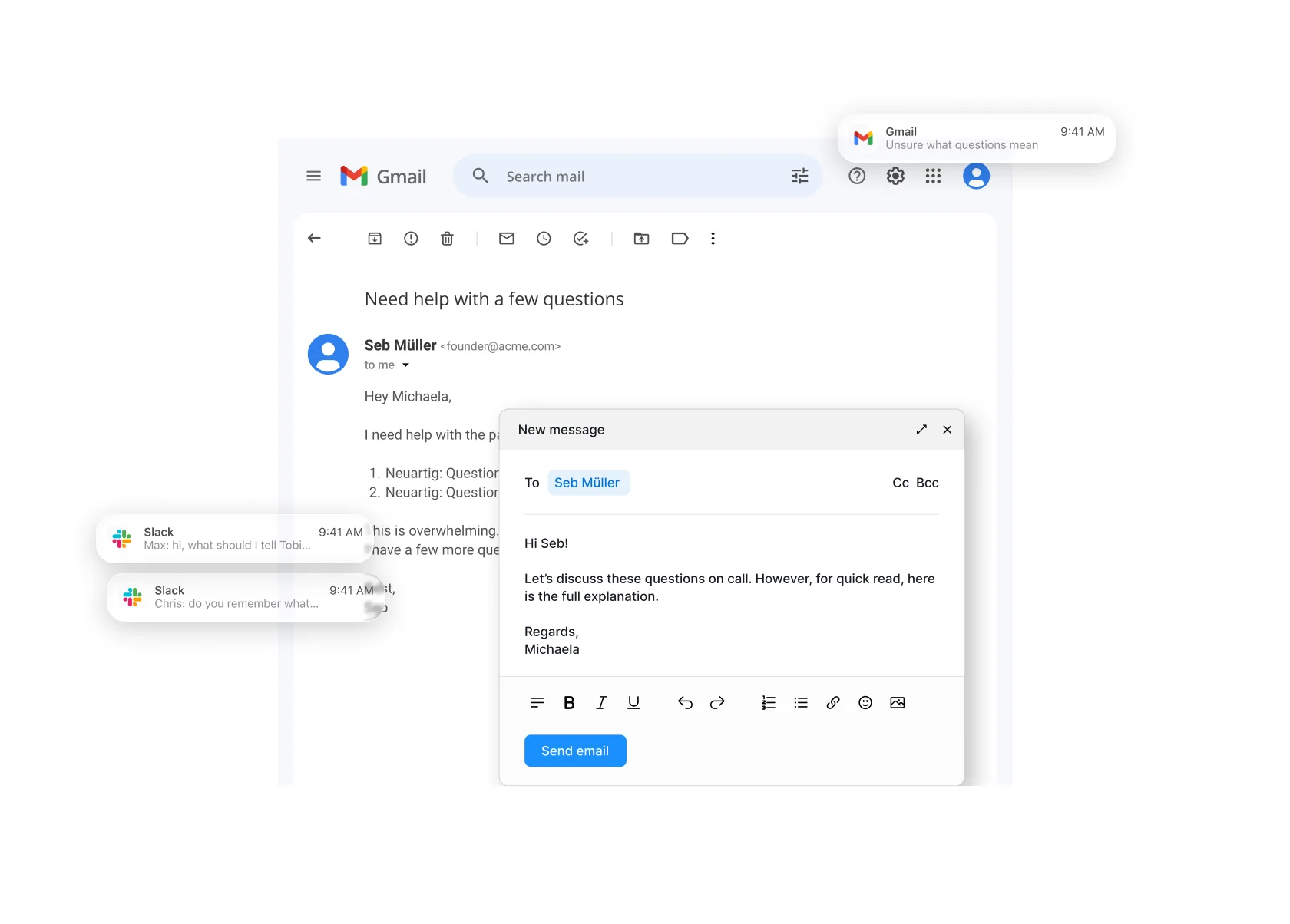
At the time, Clients and Consultants interacted via email. This resulted in long threads, missed notes and a mismatch of what consultant wanted & what the client provided. And with the opaqueness of emails, other team members lacked visibility and chance to learn or help.
Email mockup of both parties
Constraints
Contextual threads
A new thread, with a question from the client or a remark by the consultant, is always written in context of a form item. This meant that a global chat system, eg Intercom style, on the home screen will not work.
Overloaded application architecture
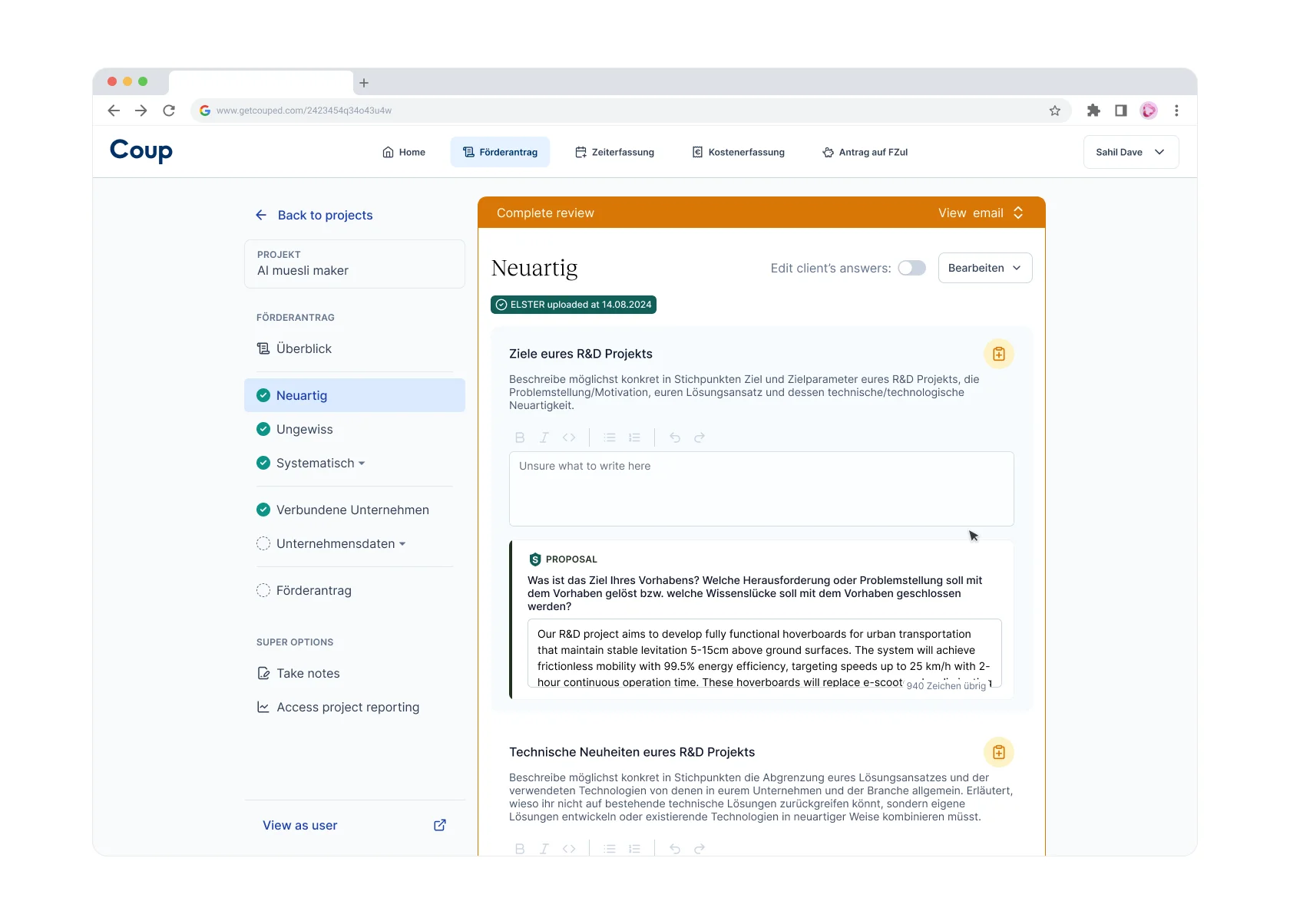
Coup web-app has both client UI and consultant UI built in the same web-app, with some UI sections only visible to consultant UI. This role-based UI, overloaded some sections of the app for the consultant, where they saw both the client's UI and their own work area.
Review vs Chat
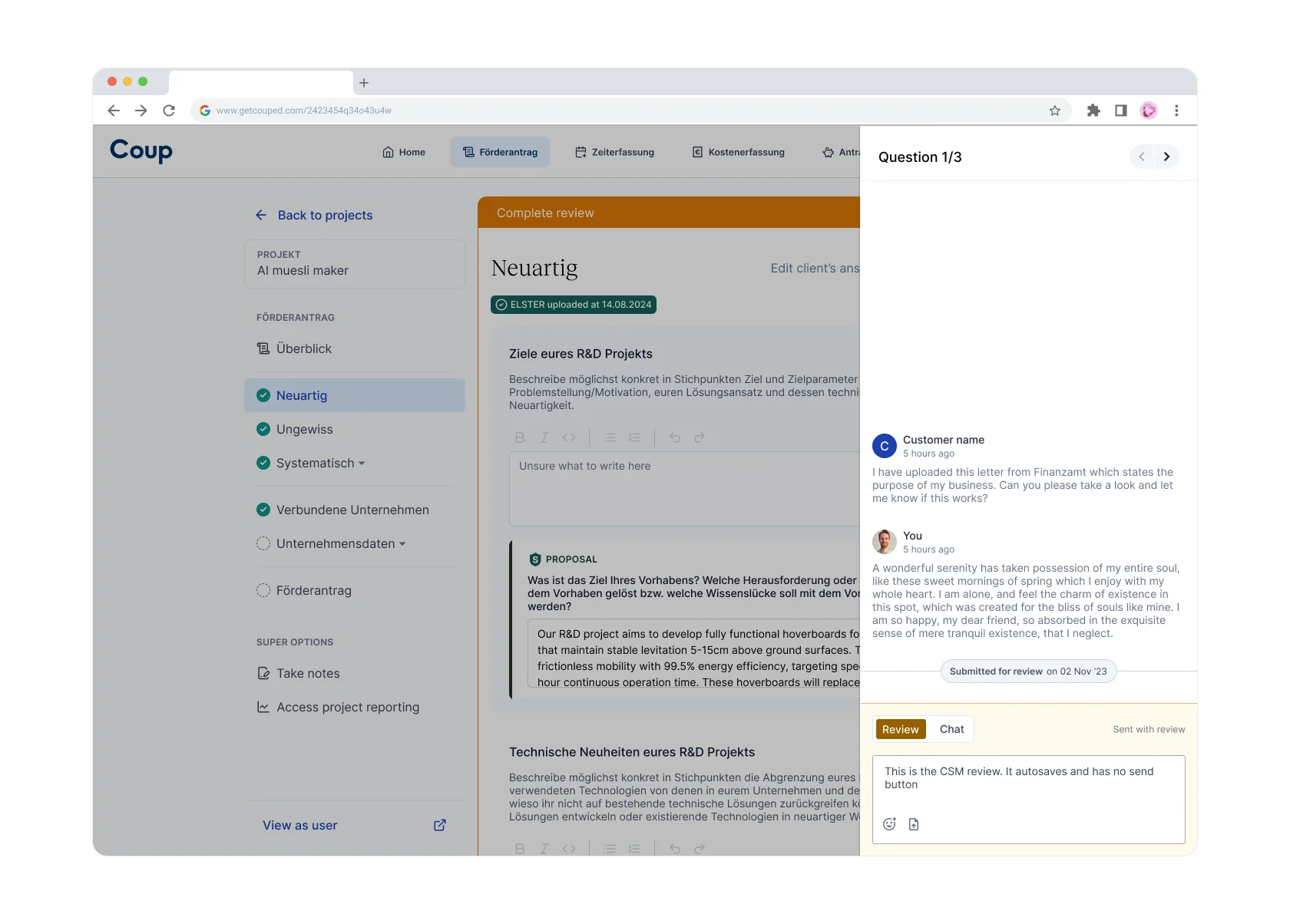
Before the client submits their final application, the consultants do a thorough review - for language, data correction & correlation. The behaviour is akin to Github where one the review messages are written in a separate "space" and submitted together in one go.
Overloaded UI between client and consultant
Opportunities
Bring in all communication within app
Long form emails are hard to digest. Some queries are missed and with emails always being sent to a specific point-of-contact consultant, other team member lack visibility, chance to learn. And naturally, a switch in application makes the user lose focus, and the Coup app the context.
Keep application status visible in all chat thread
Answering an outdated question is redundant. Client's application moves through various stages before getting review and finalised. Again, a chat message is contextualized to the status of the application.
Seamless switching between Review & Chat
For consultants, Reviewing is a long focussed process that may require multiple sessions/sittings. Meanwhile they should be enabled to send chat messages, while giving them confidence that their review messages are safely saved.
Solutions
Sidebar UI
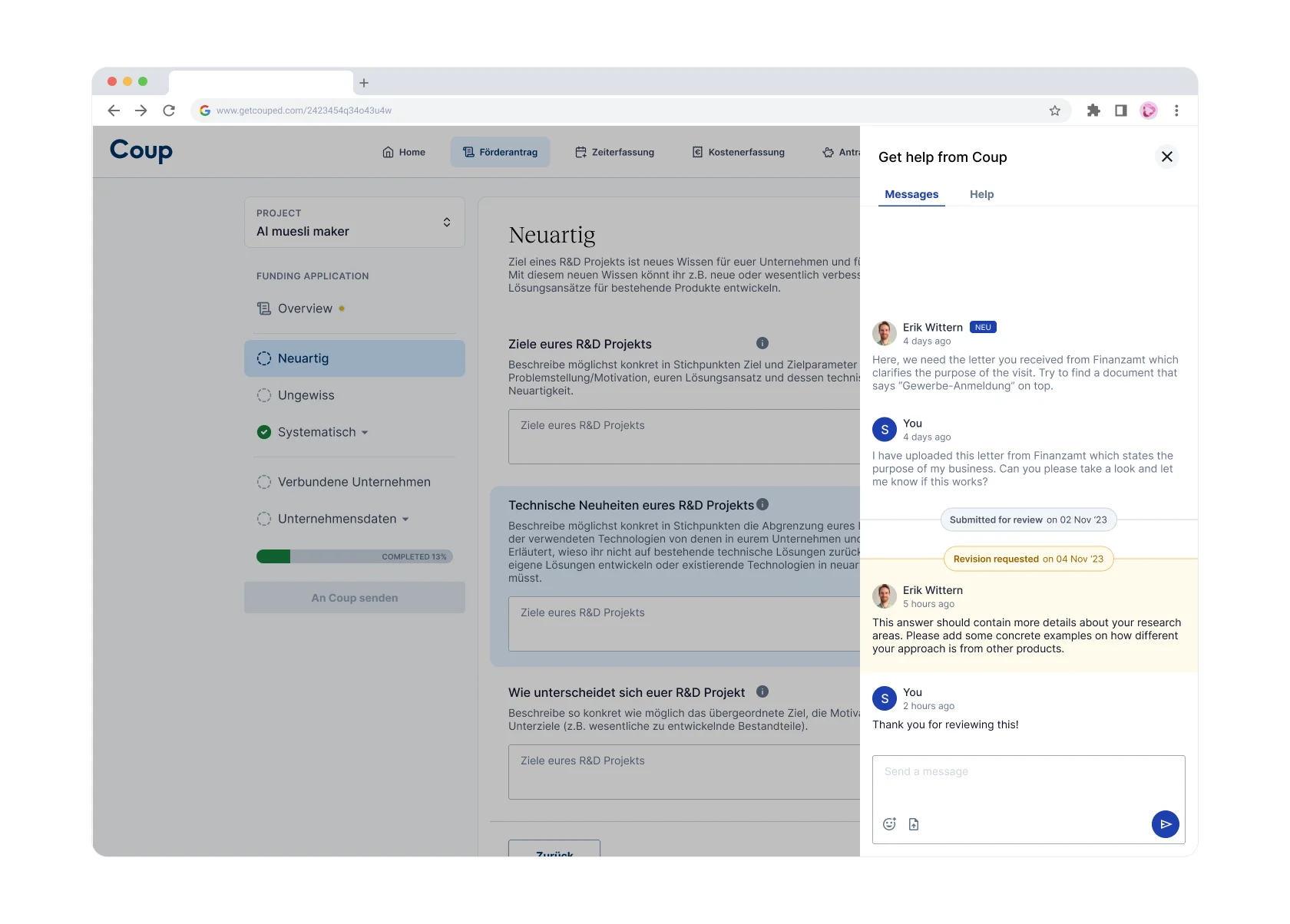
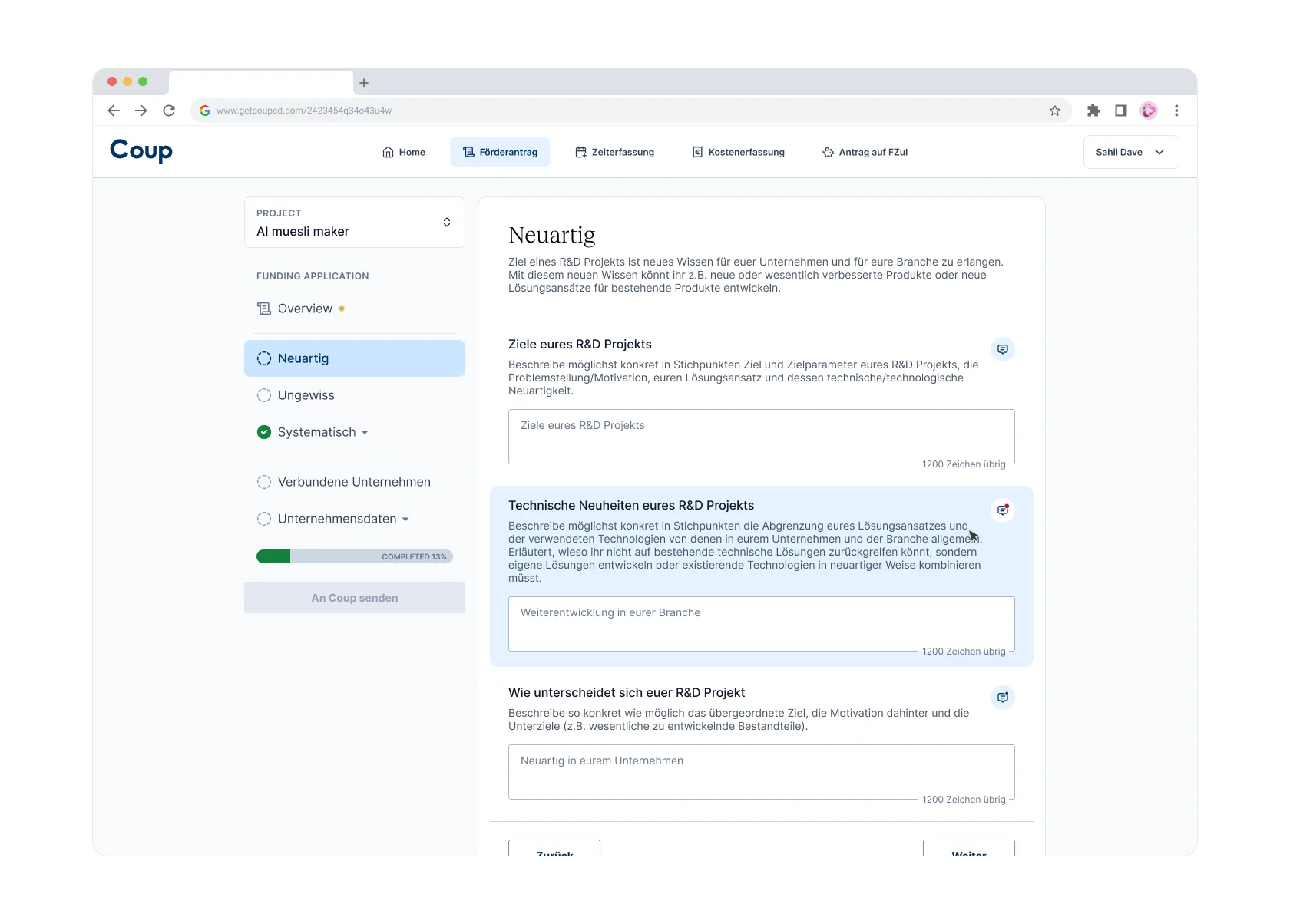
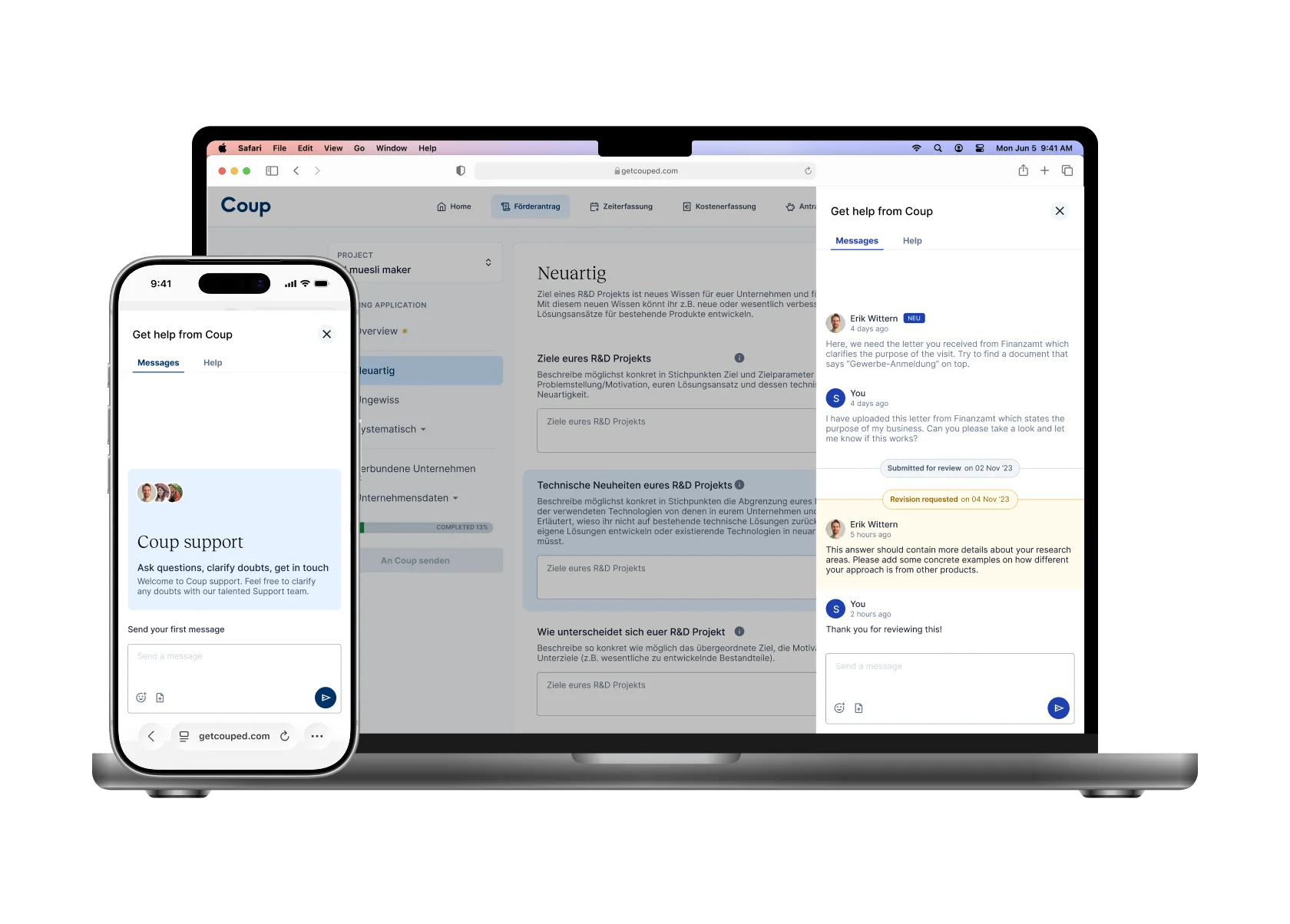
After multiple iterations tackling all the constraints and getting adhoc feebdack from the Lead Consultant a sidebar UI with Chat and Help tabs was created. The sidebar becomes drawer on mobile breakpoints. Every sidebar instance has it's own chat thread related to the question associated with it.
Sidebar UI instances & Drawer UI
Design details
Every sidebar has a unique URL param, to help users share a direct link to the thread or help of a particular question.
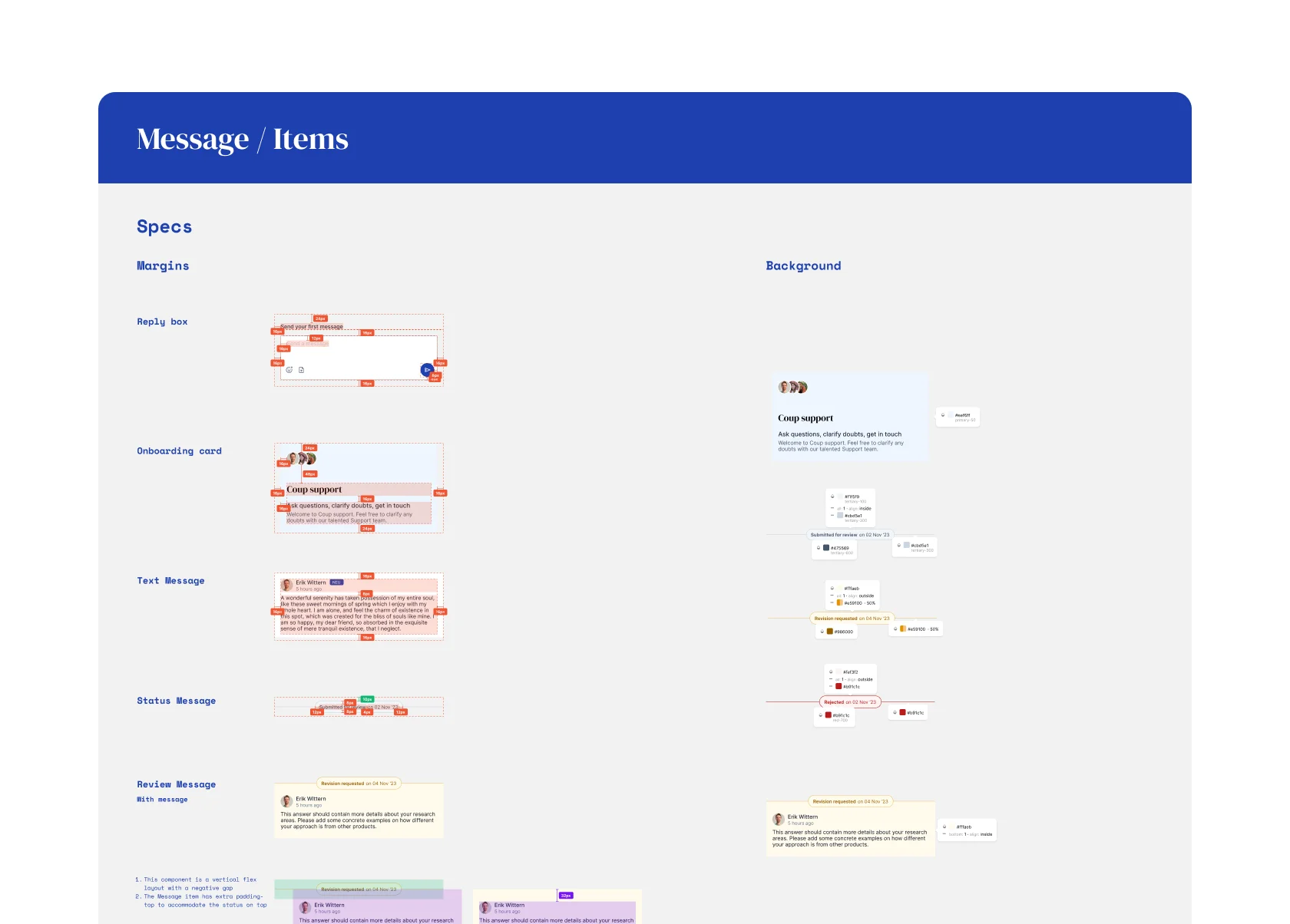
Status indicator
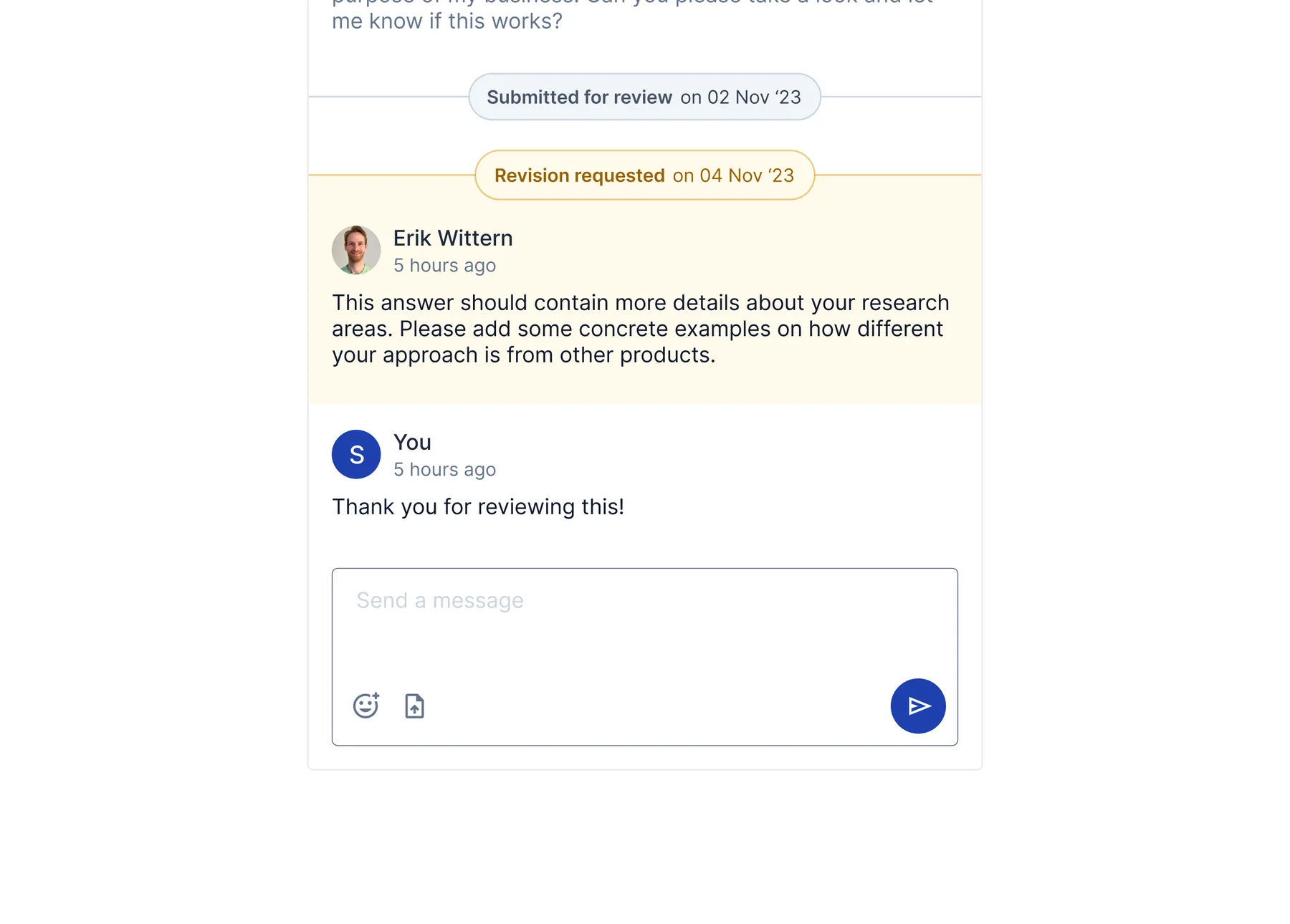
Integrated status indicator as a chat message. Instead of "showing" the status of the message at the time it was sent, it is inferred by the change of status i.e. if you see a status-update UI after a message, you can safely assume that the message belonged the previous status.
Sending and viewing reviews
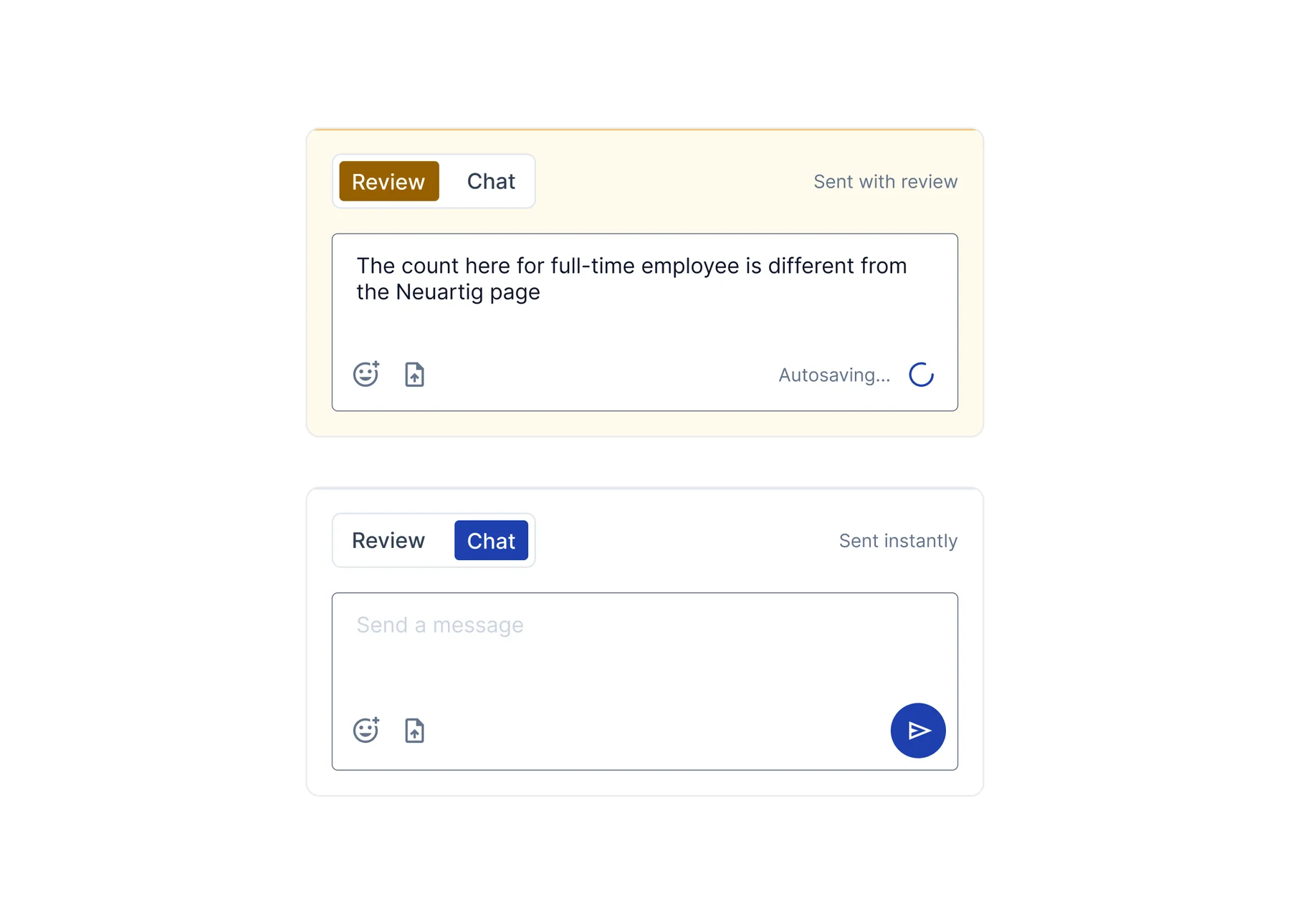
Review messages have a special UI treatment that differentiates them from regular chat messages. For the Consultant, collating a review is done within the sidebar UI. The review messages for each questions are autosaved into a review-set which is then displayed, with hyperlinks, in the final review composition screen.
Design details
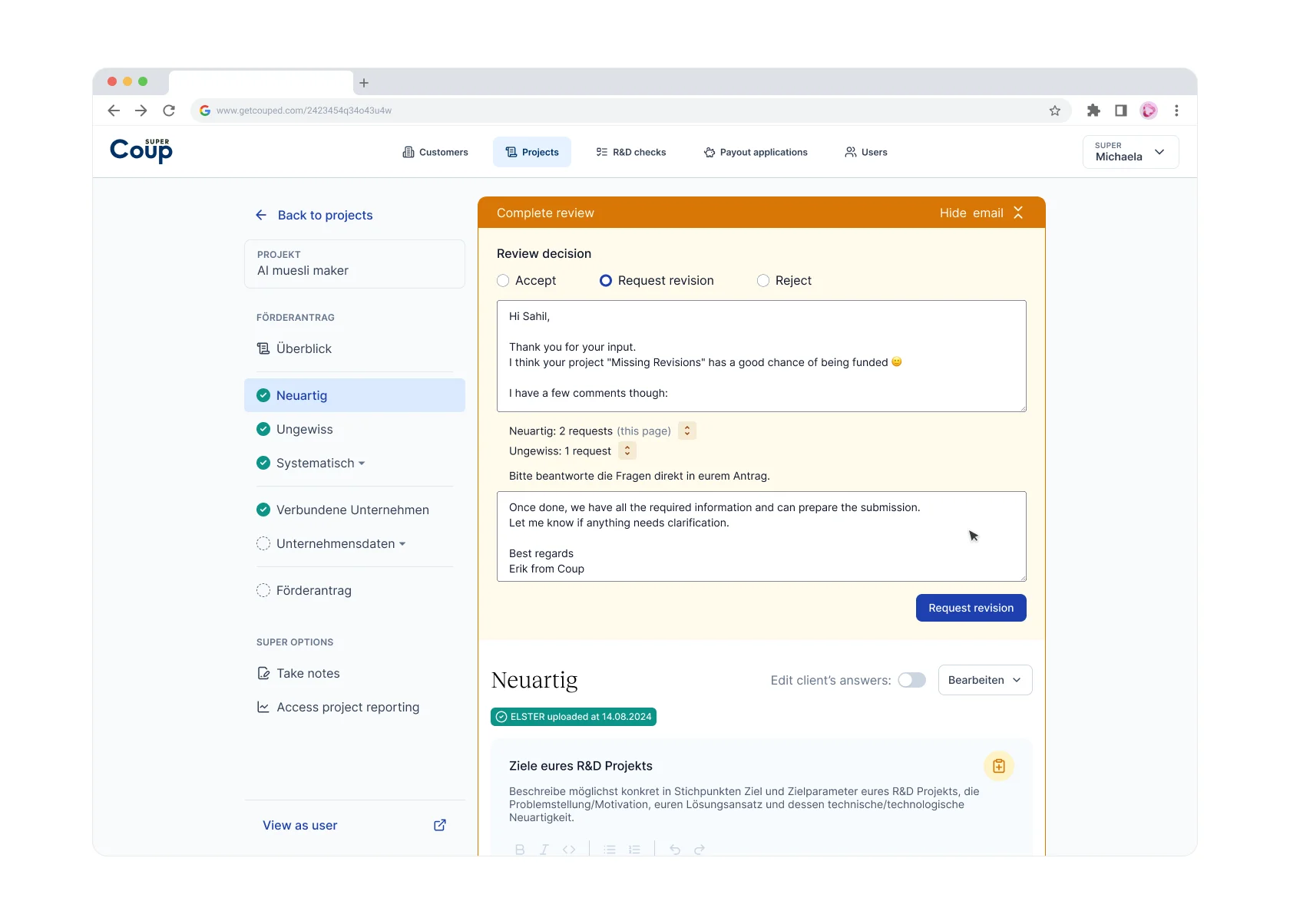
Once the reviews are collated, a preview of each review is shown in the final review composition screen, making it easy for Consultants to verify the completeness.
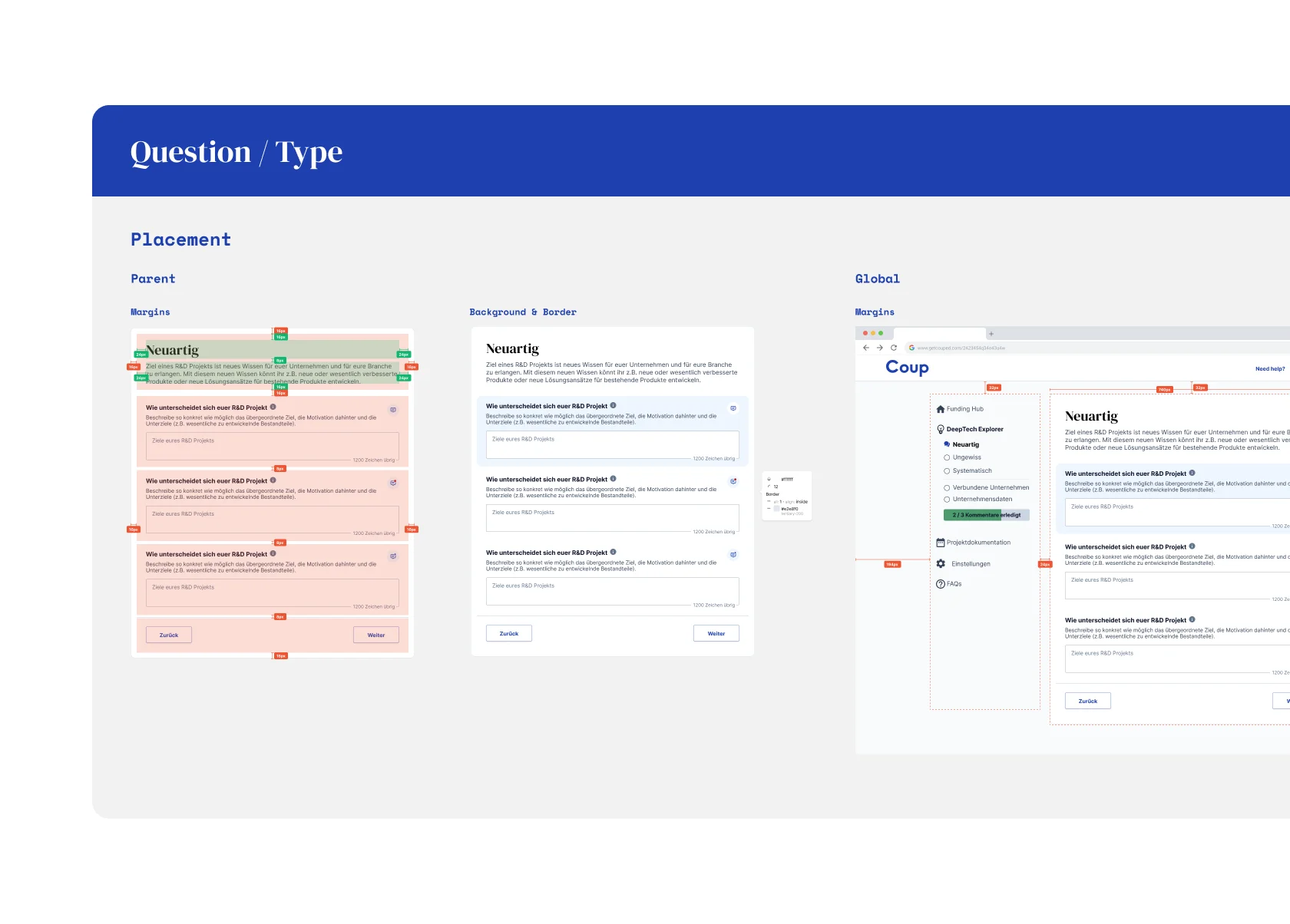
Review sidebar components, and final review mode
Design Handoff
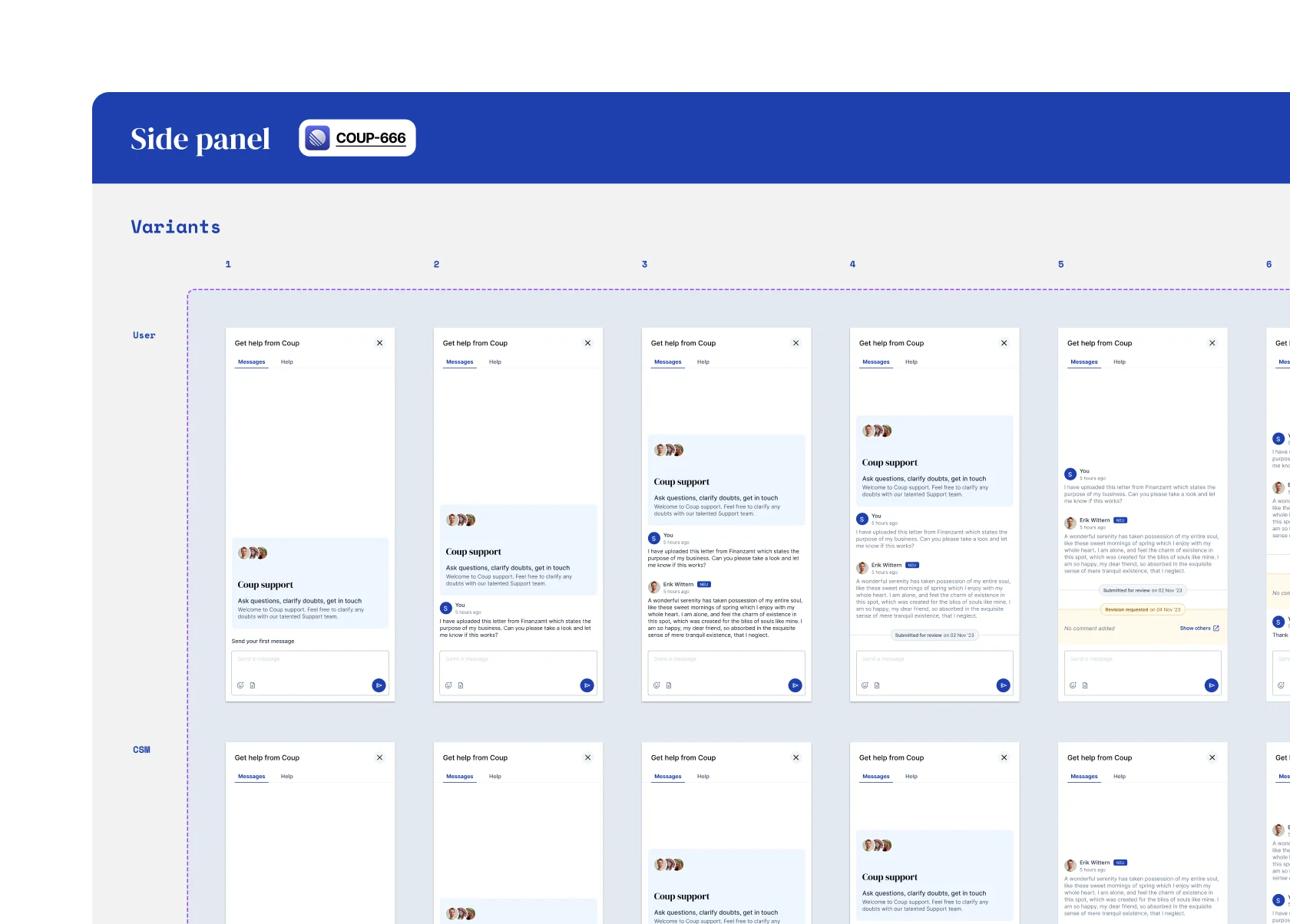
Since I was working as a part-time freelancer, I needed to make sure there is no blocker in design handoffs. The devs, Erik (CTO) and Alistair (Senior Dev), are very design savvy and found it easy to understand the handoff material and extrapolate if needed.
Design handoff screens
Post-launch
The usage of this feature went through the roof, both, from the Client side and the Consultant side. There were further iterations to make a global notification UI, a more mature email notification system, and iteration on the type of notification bubble shown to the Consultants.